 By Saurav Mehra
 Buying a new TV in India has become confusing in a very modern way. You enter a showroom or open an online sale page, and suddenly every TV promises a cinema-like experience. One model says 4K HDR, another says Dolby Vision, another says HDR10+, and a budget TV proudly writes “HDR supported” in big letters. The salesperson may say, “Sir, Dolby Vision le lijiye, picture best milega.” But as a buyer, the real question is simple: does Dolby Vision actually matter, or is it just another fancy sticker on the box?
This matters because Indian families use TVs in many different ways. Some watch cricket in a bright living room, some watch Netflix at night, some play games on PlayStation or Xbox, some watch daily serials, and many simply use YouTube and DTH channels. If you are spending ₹30,000, ₹60,000 or more than ₹1 lakh on a TV, you should know where Dolby Vision helps and where it does not make much difference.
Dolby Vision can improve picture quality, especially in movies and web series made in high-quality HDR. But it is not magic. You need a Dolby Vision-supported TV, compatible app, proper streaming plan, fast internet and actual Dolby Vision content. Without these, the label alone will not change your viewing experience.
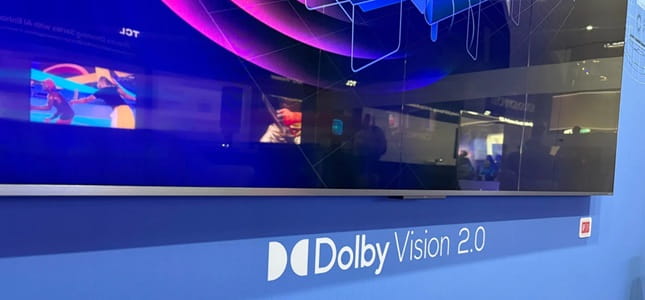
What Is Dolby Vision?
Dolby Vision is an advanced HDR video format. HDR means High Dynamic Range. In simple words, HDR helps a TV show brighter highlights, deeper blacks, better contrast and richer colours compared to normal video.
Dolby Vision goes one step further by using dynamic information to guide the TV scene by scene or frame by frame. This helps the TV understand how bright, dark and colourful each part of the video should look.
For example, in a movie scene with a dark room and a bright lamp, Dolby Vision can help preserve details in both the shadows and bright areas. Without good HDR handling, dark areas may look crushed or bright areas may look washed out.
Dolby Vision vs Normal SDR
Most older TV content is SDR, which means Standard Dynamic Range. SDR can still look good, especially on a decent TV, but it has limited brightness and colour range compared to HDR.
Dolby Vision content can look more lifelike because it has more information about brightness and colour. Fire, sunlight, night scenes, city lights, skin tones and colourful landscapes may look more detailed and natural.
But remember, Dolby Vision improves content that is made and delivered in Dolby Vision. It will not magically turn low-quality cable TV or poor YouTube uploads into premium cinema.
Dolby Vision vs HDR10
HDR10 is the basic and widely supported HDR format. Almost every HDR TV supports HDR10. It uses static metadata, which means the brightness and colour guidance is usually fixed for the entire video.
Dolby Vision uses dynamic metadata, which can adjust picture information scene by scene. This gives creators more control and can help the TV display content more accurately.
In real-life viewing, Dolby Vision can look better than basic HDR10, especially in difficult scenes with very bright highlights and dark shadows. However, the difference also depends on TV quality. A high-end HDR10 TV may look better than a poor-quality Dolby Vision TV.
Dolby Vision vs HDR10+
HDR10+ is another advanced HDR format that also uses dynamic metadata. It is seen as a competitor to Dolby Vision. Some TV brands support HDR10+, while others support Dolby Vision. Some premium TVs support both.
The important difference for buyers is content availability and device support. Dolby Vision is widely used on many OTT platforms and devices, while HDR10+ is also growing. Samsung TVs, for example, generally support HDR10+ but not Dolby Vision. LG, Sony, TCL, Hisense and many other brands often support Dolby Vision in selected models.
If you are choosing between formats, do not look only at the name. Check which apps you use, which TV brand you prefer, and how good the TV panel actually is.
What Do You Need to Watch Dolby Vision?
To watch Dolby Vision, four things must match.
First, your TV or display must support Dolby Vision. Second, the movie or show must be available in Dolby Vision. Third, the app or device you are using must support Dolby Vision playback. Fourth, your internet and streaming plan must allow high-quality video.
For example, if your TV supports Dolby Vision but your streaming plan only allows basic HD, you may not get Dolby Vision. If your streaming device does not support Dolby Vision, your TV cannot show it even if the content has it. If your internet is slow, the app may reduce quality.
So Dolby Vision is a full chain. One weak link can stop it from working.
Is Dolby Vision Available on Netflix, Prime Video and JioHotstar?
Dolby Vision content is available on popular streaming platforms, but availability depends on your plan, device, app version and title. Not every movie or show supports it.
Netflix offers premium-quality HDR content on supported plans and devices. Apple TV+ is known for strong Dolby Vision support on many originals. Prime Video also has Dolby Vision content on selected titles and devices. JioHotstar supports Dolby Vision on compatible devices and plans for selected content.
Always check the title page inside the app. If your device supports it, you may see labels like Dolby Vision, HDR, Ultra HD or 4K. If the label is missing, that specific title may not play in Dolby Vision.
Does Dolby Vision Work on All 4K TVs?
No. A TV can be 4K but still not support Dolby Vision. 4K is about resolution, meaning the number of pixels. Dolby Vision is about brightness, contrast and colour performance.
Many budget 4K TVs support basic HDR10 but not Dolby Vision. Some mid-range and premium TVs support Dolby Vision. Some brands support HDR10+ instead.
Before buying, check the official specifications carefully. Do not assume “4K HDR” means Dolby Vision. It may only mean basic HDR support.
Does Dolby Vision Matter on Budget TVs?
This is an important question for Indian buyers. Dolby Vision on a budget TV may not always look dramatic because the TV panel may not be bright enough, may have weak contrast or may not handle local dimming well.
Dolby Vision can help the TV process HDR content better, but it cannot overcome poor hardware completely. If the TV has low brightness, average colours and weak black levels, Dolby Vision support alone will not make it look premium.
In budget TVs, panel quality, brightness, processing, warranty and service are just as important as Dolby Vision.
Dolby Vision on OLED TVs
OLED TVs are excellent for Dolby Vision because they offer deep blacks and strong contrast. Since each pixel can turn off individually, dark scenes look rich and cinematic.
If you watch movies and web series at night, Dolby Vision on an OLED TV can feel very impressive. Skin tones, night scenes, shadows and highlights can look more natural.
For serious OTT lovers and home-cinema users, OLED plus Dolby Vision is one of the best combinations.
Dolby Vision on QLED and Mini LED TVs
QLED and Mini LED TVs can get very bright, which helps HDR content look punchy. Dolby Vision on a good Mini LED TV can deliver bright highlights, colourful scenes and strong contrast.
This is useful for Indian living rooms with sunlight or bright tube lights. If your room is not dark, a bright QLED or Mini LED TV with Dolby Vision can be more practical than a dimmer TV.
However, quality still varies by model. A premium Mini LED TV will show Dolby Vision much better than an entry-level QLED with low brightness.
Dolby Vision for Gaming
Dolby Vision gaming is supported on some consoles, TVs and games, but it is not essential for every gamer. For gaming, features like low input lag, 120Hz refresh rate, VRR, HDMI 2.1 and good response time may matter more.
If you use Xbox Series X or compatible devices, Dolby Vision gaming can improve HDR visuals in supported games. But if your TV has high input lag or poor gaming mode, Dolby Vision alone will not make gaming smooth.
For PlayStation users, HDR support matters, but Dolby Vision gaming support is not the main buying reason.
Dolby Vision vs Dolby Atmos
Many buyers confuse Dolby Vision with Dolby Atmos. They are different.
Dolby Vision is for picture quality. It affects brightness, contrast and colours. Dolby Atmos is for sound. It creates a more immersive audio experience with height and surround effects.
A TV can support Dolby Vision but not Dolby Atmos, or Dolby Atmos but not Dolby Vision. For the best home entertainment setup, both are good, but they solve different problems.
If your TV speakers are average, Dolby Atmos support may not feel powerful without a soundbar or home theatre system. Similarly, Dolby Vision needs a good display to truly shine.
Does Dolby Vision Improve DTH or Cable TV?
No, normal DTH channels do not become Dolby Vision just because your TV supports it. Most regular TV channels are not broadcast in Dolby Vision.
News channels, daily soaps, old movies and normal sports telecasts may play in SDR or standard HD/4K depending on your connection and channel. Dolby Vision mainly helps with supported OTT content, 4K Blu-ray, and selected streaming or digital content.
So, if your main use is DTH serials and news, Dolby Vision should not be your top priority.
Internet Speed Matters
Dolby Vision streaming usually needs good internet because it is commonly linked with high-quality 4K HDR content. If your internet is unstable, the app may reduce video quality to HD or lower HDR levels.
For smooth experience, use a good broadband connection. If Wi-Fi is weak near the TV, use a LAN cable or improve router placement. Streaming Dolby Vision over poor Wi-Fi can lead to buffering, quality drops and frustration.
A premium TV cannot fix bad internet.
Common Dolby Vision Problems
Sometimes users buy a Dolby Vision TV but do not see the Dolby Vision logo while playing content. This can happen for many reasons.
The content may not support Dolby Vision. Your streaming plan may not include 4K/HDR. The TV app may be outdated. The external streaming device may not support Dolby Vision. The HDMI cable may not be good enough. The HDMI port setting may need enhanced mode. Internet speed may be low.
Check each part of the chain instead of assuming the TV is faulty.
Should You Pay Extra for Dolby Vision?
You should pay extra for Dolby Vision if you watch a lot of OTT movies and web series, have a good internet connection, want premium picture quality, and are buying a TV with good brightness, contrast and processing.
You may not need to pay much extra if your main use is DTH, news, YouTube, casual viewing or a small bedroom TV. In such cases, a good panel and reliable brand may matter more than Dolby Vision.
For mid-range and premium TV buyers, Dolby Vision is a valuable feature. For tight-budget buyers, it should be a bonus, not the only deciding factor.
Practical Buying Advice for Indian Users
When buying a TV, do not choose only by Dolby Vision label. Check panel type, brightness, contrast, refresh rate, HDR support, operating system, app availability, HDMI ports, warranty and service network.
If possible, watch real Dolby Vision content in the showroom, not only demo videos. Demo videos are designed to look impressive. Ask to play a dark movie scene and a bright daylight scene.
For OTT lovers, choose a TV with Dolby Vision and good panel quality. For sports-heavy families, check brightness and motion handling. For budget users, choose overall picture quality first.
FAQs
Q1. Is Dolby Vision better than HDR10?
Yes, Dolby Vision is generally more advanced because it uses dynamic metadata to adjust picture information scene by scene. But the final result also depends on the TV’s brightness, contrast and processing quality.
Q2. Do I need Dolby Vision for Netflix and OTT?
If you watch a lot of premium OTT content in 4K HDR, Dolby Vision is useful. But you also need a compatible TV, supported streaming plan, proper app and good internet connection.
Q3. Does Dolby Vision work on normal TV channels?
No, most normal DTH and cable TV channels do not play in Dolby Vision. Dolby Vision mainly helps with supported OTT content, digital movies and compatible devices.
Q4. Should I buy a TV without Dolby Vision?
Yes, you can buy a TV without Dolby Vision if the panel quality, brightness, contrast and price are good. Many HDR10+ or high-quality HDR TVs look excellent. Dolby Vision is useful, but it should not be the only buying factor.