 By Saurav Mehra
 A Smart TV looks like a small expense after you buy it—just plug it in, connect Wi-Fi, open YouTube or OTT apps, and enjoy. But in many Indian homes, the TV is not used for only one movie at night. It runs during morning news, afternoon serials, evening cartoons, cricket matches, YouTube bhajans, OTT web series, gaming, music and sometimes even as background noise while people do household work. Slowly, the question comes: “How much electricity is this Smart TV actually using every month?”
This question matters more today because TVs are getting bigger. Earlier, a 32-inch TV was common. Now many families buy 43-inch, 55-inch, 65-inch or even bigger 4K Smart TVs. Big screens, high brightness, HDR, powerful speakers, Wi-Fi, Android TV software and streaming devices all use electricity. The bill may not jump like an AC bill, but daily long usage can still add a noticeable cost.
The good news is that Smart TV electricity consumption is easy to understand. You only need three things: TV wattage, daily usage hours and your electricity rate per unit. Once you know this, you can estimate your monthly TV bill and reduce waste without stopping entertainment.
What Does TV Power Consumption Mean?
TV power consumption means how much electrical power your TV uses while running. It is usually shown in watts. You may find it on the TV label, user manual, product page or BEE star label.
For example, a 32-inch LED TV may use around 40–60 watts during normal use. A 43-inch 4K TV may use around 70–100 watts. A 55-inch TV may use around 100–160 watts. A large 65-inch or 75-inch TV can use more, especially at high brightness.
These numbers are not fixed for every model. A premium bright QLED TV may use more electricity than a basic LED TV of the same size. An OLED TV may use different power depending on whether the scene is dark or bright.
Understanding “Unit” in Electricity Bill
In Indian electricity bills, one unit usually means one kilowatt-hour. In simple words, if a 1000-watt appliance runs for one hour, it uses 1 unit of electricity.
A TV uses much less than 1000 watts, so its daily consumption is usually a fraction of a unit. But because it runs every day, the monthly consumption adds up.
The simple formula is:
Power in watts × hours used per day × 30 ÷ 1000 = monthly units
Then:
Monthly units × electricity rate per unit = monthly cost
This formula works for any TV, whether LED, QLED, OLED or Mini LED.
Example: 32-Inch Smart TV Monthly Bill
Suppose your 32-inch Smart TV uses 50 watts and runs for 5 hours daily.
50 × 5 × 30 ÷ 1000 = 7.5 units per month
If your electricity rate is ₹8 per unit, the monthly cost will be:
7.5 × 8 = ₹60 per month
So, a small 32-inch TV does not usually add a big amount to the bill. It is suitable for bedrooms, kitchens, shops, hostels and secondary viewing.
Example: 43-Inch Smart TV Monthly Bill
A 43-inch Smart TV may use around 80 watts during normal use. If it runs for 6 hours daily:
80 × 6 × 30 ÷ 1000 = 14.4 units per month
At ₹8 per unit:
14.4 × 8 = ₹115.20 per month
This is still manageable for most homes. But if the TV runs 10–12 hours daily, the bill becomes higher. Long usage matters as much as screen size.
Example: 55-Inch Smart TV Monthly Bill
A 55-inch TV may use around 120 watts during normal viewing. If it runs for 6 hours daily:
120 × 6 × 30 ÷ 1000 = 21.6 units per month
At ₹8 per unit:
21.6 × 8 = ₹172.80 per month
If the same TV runs for 10 hours daily:
120 × 10 × 30 ÷ 1000 = 36 units
At ₹8 per unit, the cost becomes ₹288 per month.
This shows why families who keep the TV on all day may notice higher consumption.
Example: 65-Inch Smart TV Monthly Bill
A 65-inch TV may use around 150–220 watts depending on panel type, brightness and features. Let us take 180 watts as an example.
If it runs for 5 hours daily:
180 × 5 × 30 ÷ 1000 = 27 units per month
At ₹8 per unit:
27 × 8 = ₹216 per month
If it runs for 8 hours daily:
180 × 8 × 30 ÷ 1000 = 43.2 units
At ₹8 per unit, the cost becomes ₹345.60 per month.
A big TV is enjoyable, but it naturally consumes more power than a smaller one.
LED vs QLED vs OLED: Which Uses More Power?
Regular LED TVs are usually the most power-efficient among common affordable TVs, especially at moderate brightness.
QLED TVs can consume more power because they are designed for higher brightness and richer colours. A bright QLED running in vivid mode may use noticeably more electricity than a normal LED TV.
OLED TVs are different. Since each pixel lights up individually, power use depends on content. Dark scenes may use less power, while very bright HDR scenes may use more. OLEDs can be efficient in dark-room viewing, but high brightness settings can increase consumption.
Mini LED TVs can also use more power because they are very bright and use many dimming zones. However, premium models may manage power intelligently.
Screen Size Is the Biggest Factor
The larger the screen, the more power it usually needs. A 65-inch TV has much more screen area than a 43-inch TV, so it needs more energy to light up the display.
This is why buying a very large TV should not be based only on discount. If your room is small and viewing distance is short, a smaller TV may save both purchase cost and electricity.
For most Indian bedrooms, 32-inch to 43-inch is enough. For normal living rooms, 50-inch to 55-inch is practical. For large halls, 65-inch and above makes sense, but electricity consumption will also increase.
Brightness Settings Affect Electricity Use
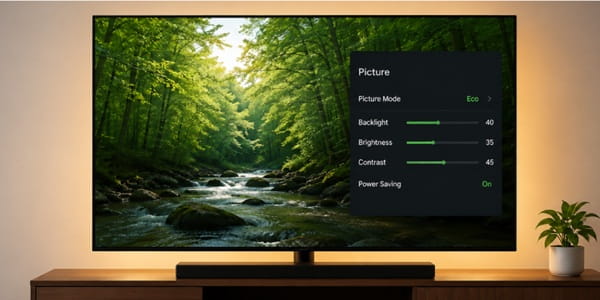
Brightness is one of the most important settings for power consumption. Many TVs in showrooms run in Vivid or Dynamic mode. This makes the picture look very bright and colourful, but it also uses more electricity.
At home, use Standard, Eco, Cinema or Movie mode depending on your room. These modes usually reduce unnecessary brightness and make viewing more comfortable.
If your room is dark, you do not need maximum brightness. Reducing brightness can save electricity and reduce eye strain.
HDR and 4K Content Can Use More Power
When you watch HDR content, the TV may increase brightness to show highlights properly. This can increase power use, especially on QLED, Mini LED and bright LED TVs.
4K content itself does not always use much more display power, but 4K streaming can make the TV’s processor, Wi-Fi and backlight work harder. The difference is not huge for short viewing, but long OTT sessions at high brightness can increase consumption.
If you watch long hours daily, picture mode and brightness settings matter more than whether the video is HD or 4K.
Smart Features Also Consume Power
A Smart TV is not only a display. It has a processor, storage, Wi-Fi, Bluetooth, apps, background updates, voice assistant and sometimes always-listening features.
These features use some electricity while the TV is on. Some also use a small amount in standby mode. The amount is usually low, but over a full month it adds up slightly.
Streaming sticks, soundbars, set-top boxes, gaming consoles and Wi-Fi routers connected with the TV also consume power. When calculating full entertainment cost, include these devices too.
Standby Power: Small but Not Zero
When you turn off the TV with the remote, it usually goes into standby mode, not full power off. In standby, it may still use a tiny amount of electricity to receive remote signals, check updates or stay ready for quick start.
For most modern TVs, standby consumption is low. But if you have a TV, set-top box, soundbar, Fire TV Stick and gaming console all in standby, combined wastage can increase.
If you are going out for several days, switch off the TV and accessories from the wall socket. For daily use, standby cost is usually small, but unnecessary devices should not remain on all the time.
Set-Top Box and Soundbar Add Extra Cost
Many people calculate only TV power, but the full setup matters. A DTH set-top box can consume power even when the TV is off. A soundbar also uses electricity while running and a little in standby.
If your TV runs with a soundbar, Fire TV Stick and set-top box daily, your actual entertainment power consumption is more than the TV alone.
Switch off devices you are not using. For example, if you watch OTT through the TV app, turn off the DTH box. If you watch news through DTH, the Fire TV Stick does not need to stay active.
BEE Star Rating Helps Buyers
In India, BEE star ratings help consumers compare energy efficiency of appliances. For TVs, the energy label can show estimated annual energy consumption. A higher star rating generally means better efficiency.
When buying a new TV, do not look only at screen size and price. Check the energy label and annual units. A slightly more efficient TV can save money over years, especially if your family watches TV for long hours daily.
This is more important for large TVs because power difference becomes bigger as screen size increases.
How to Reduce Smart TV Electricity Bill
Use Standard or Eco picture mode instead of Vivid mode. Reduce brightness in dark rooms. Turn off the TV when nobody is watching. Use sleep timer at night. Disable always-on features if not needed. Turn off set-top box and soundbar when not in use. Avoid keeping YouTube or music visuals running on TV for hours if only audio is needed.
For children, set viewing time limits. This saves electricity and improves screen discipline.
If you use TV mainly for music, consider using a Bluetooth speaker instead of running a large screen unnecessarily.
Use Sleep Timer at Night
Many Indian users fall asleep while watching TV. The TV keeps running for hours, increasing electricity use and disturbing sleep.
Use the sleep timer feature. Set it for 30, 60 or 90 minutes at night. This is one of the easiest ways to reduce unnecessary power use.
If your TV has auto power-off when inactive, enable it. This helps when someone forgets to turn off the TV.
Should You Unplug the TV Daily?
You do not need to unplug the TV every few hours. But switching off from the wall socket at night can reduce standby consumption and protect devices during voltage fluctuation.
However, some Smart TVs perform updates in standby mode. If you always switch off from the wall, updates may happen only when you turn the TV on. This is usually not a big issue, but be aware of it.
A practical habit is to switch off the full setup before sleeping or when leaving home for long hours.
How Much Does a Smart TV Add to Monthly Bill?
For most Indian homes, a Smart TV may add around ₹50 to ₹350 per month depending on size, usage hours, brightness and electricity rate. A small bedroom TV used for a few hours may cost very little. A large living-room TV running all day can cost much more.
The TV is still much cheaper to run than an AC, geyser or heater. But because it is used daily, smart usage can save money over time.
Practical Rule for Indian Homes
If your TV is small and used 3–4 hours daily, electricity cost is usually low. If your TV is 55-inch or larger and runs 6–10 hours daily, check settings and usage habits. If your family keeps the TV running in the background all day, use auto-off and reduce brightness.
A TV is for entertainment, but it should not waste electricity silently.
FAQs
1. How many units does a Smart TV consume per month?
It depends on wattage and usage. A 43-inch TV used 6 hours daily may consume around 12–18 units per month, while a 55-inch TV may consume around 20–35 units depending on brightness and model.
2. Does a bigger TV consume more electricity?
Yes, bigger TVs usually consume more electricity because larger screens need more power. A 65-inch TV will normally use more power than a 32-inch or 43-inch TV.
3. Does keeping the TV on standby increase the bill?
Standby power is usually low in modern TVs, but it is not zero. If many devices like set-top box, soundbar and streaming stick stay in standby, the combined waste can increase over time.
4. How can I reduce TV electricity consumption?
Use Eco or Standard mode, reduce brightness, enable sleep timer, turn off the TV when not watching, switch off unused devices and avoid keeping large screens running only for background sound.