 By Saurav Mehra
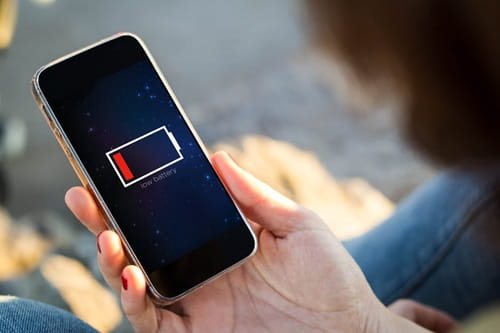
 A 5G smartphone feels exciting when it is new. Apps open quickly, videos load instantly, reels play smoothly, UPI payments happen in seconds, and downloads feel superfast. But after a few weeks or months, many Indian users face the same irritating problem: the battery starts draining too quickly. You charge the phone in the morning, use WhatsApp, Instagram, YouTube, Google Maps, camera, calls and mobile data, and by evening the battery is already begging for a charger.
This problem becomes even more frustrating in India because phones are used heavily throughout the day. Office calls, online classes, food delivery apps, cab booking, UPI, hotspot sharing, cricket streaming, train tickets, shopping apps and social media all run on the same device. Add 5G network searching, high brightness in outdoor sunlight, hot weather, background apps and fast charging heat, and the battery starts dropping faster than expected.
The good news is that fast battery drain does not always mean your phone is damaged. In many cases, small settings and usage changes can improve battery life noticeably. You do not need to stop using 5G completely or make your expensive smartphone feel like an old keypad phone. You just need to control the features that silently eat power.
Why 5G Smartphones Drain Battery Faster
5G gives faster internet, but it can use more battery in certain situations. When your phone constantly switches between 5G, 4G and weaker network signals, it works harder to stay connected. This is common in India because 5G coverage may be strong in some areas and weak in others.
Battery drain becomes worse when you use 5G for video streaming, gaming, hotspot, large downloads or video calls. These activities already use a lot of power, and 5G adds more load.
If you live in an area where 5G signal is weak or unstable, your phone may keep searching for a better network. That constant searching can drain battery quickly even when you are not actively using the phone.
Use 5G Smartly, Not Always
You do not need 5G for every task. WhatsApp messages, UPI payments, normal browsing, emails and music streaming work perfectly fine on 4G in most places. 5G is more useful for large downloads, high-quality streaming, cloud backup, gaming and hotspot use.
If your phone battery drains fast, use the automatic 5G setting if available. On iPhones, 5G Auto helps the phone switch intelligently between 5G and LTE depending on need. On Android phones, similar settings may be called Smart 5G, Auto 5G, Adaptive Connectivity or Intelligent Network.
If your area has weak 5G, switch to 4G/LTE for daily use and turn on 5G only when needed. This can save battery without affecting normal phone use much.
Check Which Apps Are Draining Battery
The biggest battery thief may not be 5G—it may be one or two apps running too much in the background.
Open battery settings and check app-wise battery usage. On Android, go to Settings > Battery > Battery Usage. On iPhone, go to Settings > Battery. You will see which apps are consuming the most power.
Social media apps, video apps, shopping apps, gaming apps, navigation apps and food delivery apps can drain battery heavily. If an app is using too much battery even when you barely used it, restrict its background activity or uninstall it if not needed.
Do not ignore apps that constantly send notifications. Every notification wakes the phone, uses data and lights up the screen.
Turn On Adaptive Battery or Battery Optimization
Most modern Android phones have Adaptive Battery or battery optimization features. These learn your usage pattern and limit battery use for apps you rarely open.
Keep this feature on. It helps prevent unnecessary background drain. Some phones also allow you to put unused apps into sleep or deep sleep mode. This is useful for apps you installed once and forgot.
On iPhone, Low Power Mode can reduce background activity, mail fetching, visual effects and some automatic processes. Use it when battery is low or when you know you will be away from a charger for many hours.
Reduce Screen Brightness
The display is one of the biggest battery users on any smartphone. Many people keep brightness high all day, especially outdoors. In Indian sunlight, the phone automatically pushes brightness to maximum, and battery drops quickly.
Use auto-brightness, but also reduce brightness manually when indoors. Avoid keeping brightness at 100% unless necessary. If your phone has an OLED or AMOLED display, using dark mode can also help save some battery, especially in apps with dark backgrounds.
Also reduce screen timeout. If your screen stays on for two or five minutes after every use, battery is wasted. Set screen timeout to 30 seconds or one minute.
Control High Refresh Rate
Many 5G smartphones come with 90Hz, 120Hz or even higher refresh-rate displays. This makes scrolling smooth, but it also uses more battery.
If your phone drains fast, switch from 120Hz to 60Hz or use adaptive refresh rate. The difference may be noticeable while gaming or scrolling, but for normal calls, WhatsApp, UPI and browsing, 60Hz is usually enough.
This setting is especially useful when you are travelling, attending office, or need the phone to last the full day.
Stop Unnecessary Location Access
Location services can drain battery quickly, especially when apps track your location in the background. Cab apps, maps, weather apps, food delivery apps, shopping apps and social media apps may request location access.
Go to location settings and change permission to “While using the app” instead of “Always.” Turn off precise location for apps that do not need it.
Google Maps, Uber, Ola and food delivery apps need location while active, but they do not need to track you all day. This one change can reduce battery drain and improve privacy.
Manage Notifications
Every app wants attention. Shopping offers, game alerts, social media likes, news updates, delivery promotions and random app reminders keep waking your phone.
Turn off unnecessary notifications. Keep only important ones like calls, messages, banking alerts, UPI, office apps and family-related apps.
Fewer notifications mean less screen wake-up, less background data and less mental distraction. Your battery and your focus both improve.
Avoid Phone Heating
Heat is one of the biggest enemies of battery health. In India, phones heat easily due to hot weather, direct sunlight, gaming, charging, video recording, hotspot and 5G use.
Avoid keeping your phone on a car dashboard, scooter seat, sunny window or under a pillow while charging. Do not play heavy games while charging. Remove thick covers if the phone becomes very hot during charging.
If your phone heats too much, let it cool before using it heavily again. Constant heat can reduce long-term battery health.
Be Careful With Fast Charging
Fast charging is convenient, but it can create more heat. Modern phones are designed to handle fast charging, but daily heat exposure can still affect battery health over time.
Use the original or good-quality certified charger. Cheap chargers may cause heating, slow charging or safety problems. Avoid charging overnight in hot areas. If your phone has optimized charging, adaptive charging or battery protection mode, turn it on.
Some phones allow limiting charge to 80% or 85% to protect battery health. This is useful if you mostly stay near a charger and do not need full battery every day.
Do Not Let Battery Drop to Zero Often
Many users wait until the phone reaches 1% or switches off. This is not a good daily habit. Lithium-ion batteries stay healthier when they are not frequently drained to zero.
Try to keep the battery between around 20% and 80% for daily use when possible. You do not need to be strict every time, but avoid regular full discharge.
Charge before the battery becomes extremely low, especially if you use your phone heavily for travel, work or payments.
Use Wi-Fi When Available
Mobile data, especially 5G, usually uses more battery than Wi-Fi in many situations. If you are at home or office, connect to stable Wi-Fi.
But if Wi-Fi is weak and the phone keeps switching between Wi-Fi and mobile data, battery may drain. In that case, use the stronger connection.
Also turn off hotspot when not needed. Hotspot is one of the fastest ways to drain battery, especially when used with 5G.
Update Apps and Software
Old software bugs can cause battery drain. Phone makers and app developers often release updates to fix performance and battery issues.
Keep your phone software updated, but avoid installing major updates when your phone battery is very low. Also update apps from trusted stores only.
If battery drain starts immediately after a new update, wait a few days. Phones sometimes use extra battery after updates because they are indexing files and optimizing apps in the background. If the problem continues for more than a week, check settings or contact service support.
Remove Unused Apps
Many phones are full of apps installed once and never used again. These apps may still run services, send notifications, use background data or collect location.
Uninstall apps you do not need. Disable pre-installed bloatware where possible. Keep your phone clean and simple.
This is especially useful for budget and mid-range 5G phones, where background load can affect both battery and performance.
Use Battery Saver at the Right Time
Battery Saver is not only for emergencies. If you know you will be outside all day, turn it on early instead of waiting for 10%.
Battery Saver usually reduces background activity, limits performance, lowers brightness and controls syncing. This can extend battery life during travel, exams, office days or power cuts.
Some Android phones also offer Ultra Battery Saver or Extreme Battery Saver. Use these when you only need calls, messages and UPI.
Check Signal Strength
Poor network signal drains battery faster because the phone works harder to connect. If you are in a basement, lift, metro area, rural location or thick-walled building, the phone may lose battery quickly.
If signal is very poor and you do not need calls, turn on airplane mode for some time. If Wi-Fi calling is available, use it at home or office where mobile signal is weak.
When travelling by train or bus, the phone keeps switching towers, which drains battery. Battery Saver can help during travel.
Avoid Live Wallpapers and Heavy Widgets
Live wallpapers, animated themes, always-on display and too many widgets can use extra power. They may look attractive, but they are not necessary.
Use a simple wallpaper. Turn off always-on display if battery is a concern. Remove widgets you do not use, especially weather, news, stocks and social media widgets that refresh frequently.
Small visual features add up through the day.
When Battery Drain Means Battery Health Problem
If your phone is more than two or three years old, battery capacity may have reduced. This is normal. A battery that once lasted a full day may now need charging by afternoon.
Check battery health if your phone offers that option. On iPhone, battery health is visible in settings. Some Android brands also show battery health or diagnostics.
If the battery drains from 30% to 5% suddenly, the phone switches off randomly, or charging percentage jumps, the battery may need replacement.
Always replace batteries at an authorized or trusted service centre. Poor-quality replacement batteries can be unsafe.
Practical Daily Battery-Saving Routine
Use 5G Auto or switch to 4G in weak 5G areas. Keep brightness moderate. Use dark mode if suitable. Turn on Adaptive Battery. Restrict background apps. Keep location access limited. Turn off unnecessary notifications. Avoid heat. Use Wi-Fi at home. Update apps. Remove unused apps. Use Battery Saver before the phone becomes too low.
These steps do not make your smartphone boring. They simply stop silent battery waste.
FAQs
Q1. Does 5G drain more battery than 4G?
Yes, 5G can drain more battery in some situations, especially when signal is weak, the phone keeps switching networks, or you use heavy data tasks like streaming, gaming and hotspot. Use 5G Auto or switch to 4G when 5G is unstable.
Q2. Should I keep Battery Saver on all day?
You can use Battery Saver when you need longer battery life, but keeping it on all day may reduce performance, background updates and notifications. Use it during travel, low battery, long office days or when charging is not available.
Q3. Why is my new 5G phone battery draining fast?
A new phone may drain battery due to app setup, data syncing, updates, high brightness, 5G searching, background apps or heavy first-week usage. Check battery usage settings and allow a few days for optimization. If drain remains severe, contact service support.
Q4. Is fast charging bad for battery?
Fast charging is generally safe on supported phones, but it can create heat. Heat affects long-term battery health. Use original or certified chargers, avoid gaming while charging, and keep the phone cool during charging.